

Download InstaPro APK – Modified Instagram App, Instagram Downloader, Privacy Tools
Overview
InstaPro APK is a modified version of the popular social media platform Instagram, developed by Atnfas Hoak. Designed as a freeware tool for Android users, it aims to extend the functionality of the official Instagram app by introducing features not available in the standard version. The primary purpose of InstaPro is to enable users to download posts, stories, reels, and IGTV videos directly from the platform, including high-quality image exports.
It also offers privacy enhancements such as hiding story views and blocking ads within the feed. A built-in web browser allows users to access external links without leaving the app, and integrated translation tools support multiple languages, including English, Russian, Turkish, and Ukrainian. The app is intended for individuals seeking greater control over their Instagram experience, particularly content creators, social media enthusiasts, and users who value privacy and offline access to media.
While the developer is not affiliated with Meta, the company behind Instagram, the app functions as a standalone desktop-like experience on Android devices. Real-world usage scenarios include saving viral content for personal archives, bypassing platform restrictions, and managing privacy settings in a more customizable way.
Key Features & Capabilities
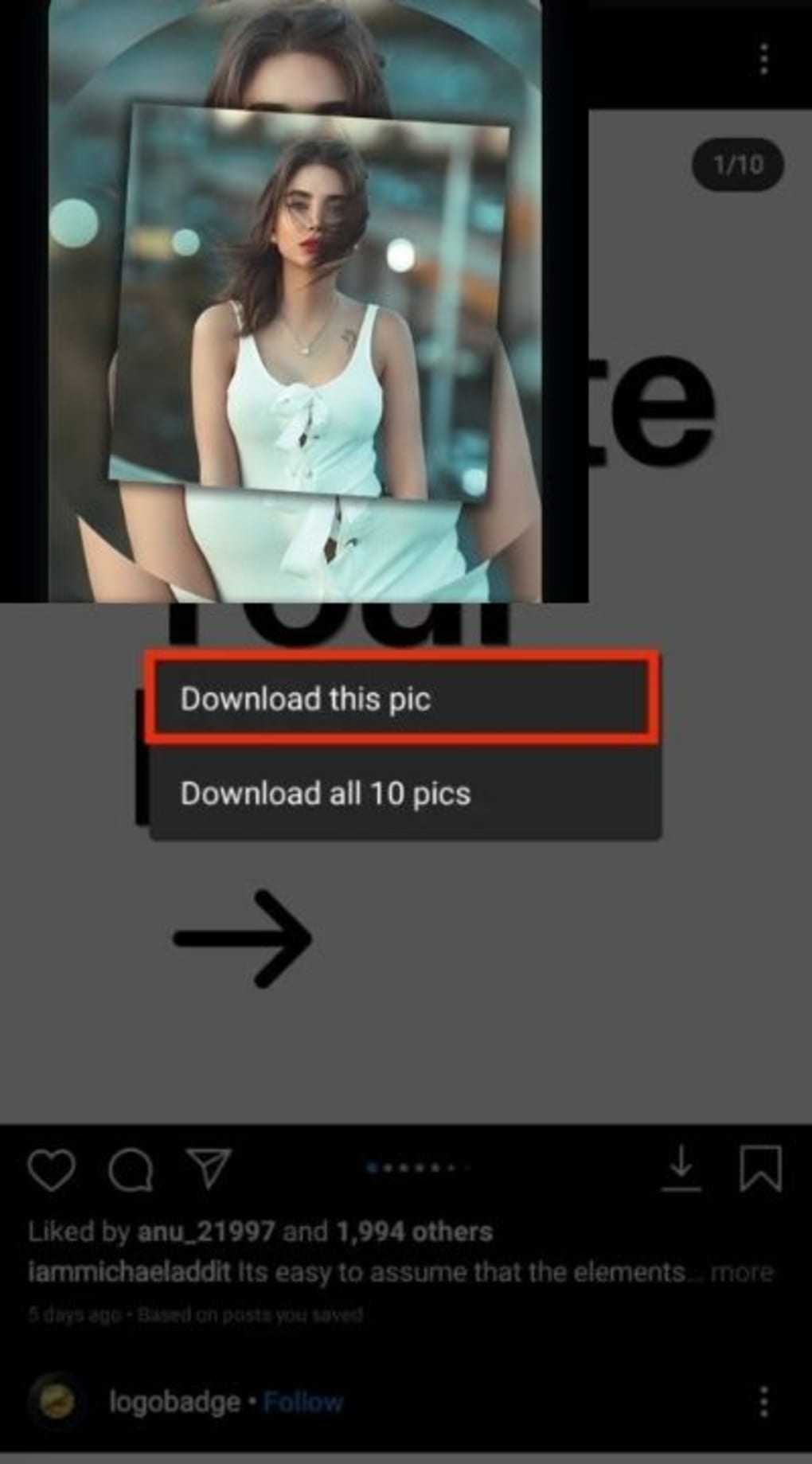
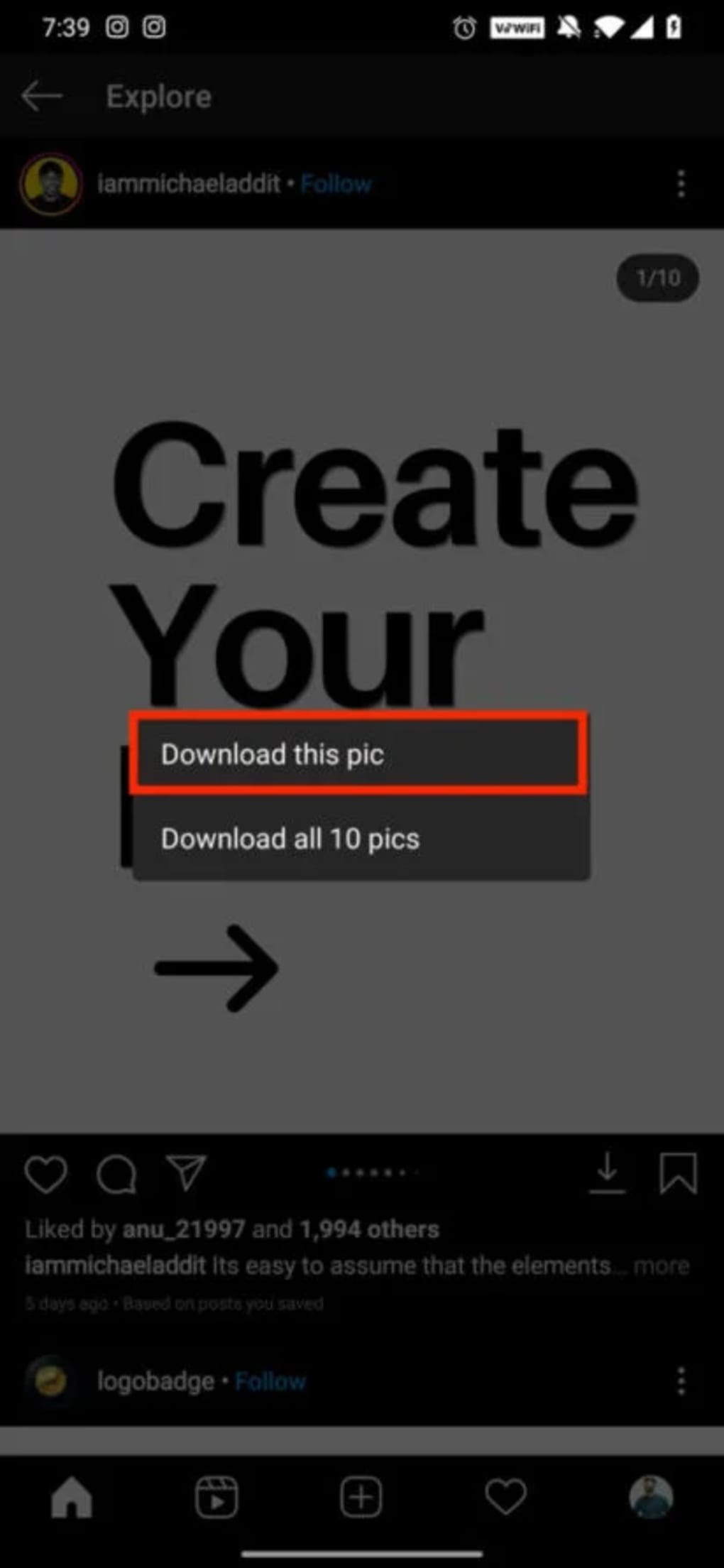
- Instagram Media Downloader: Allows users to save photos, videos, reels, and IGTV content directly from Instagram posts with a single tap, including the highest available resolution.
- Privacy Protection Tools: Includes options to hide story views and block advertisements in both the main feed and story sections.
- Integrated Web Browser: Enables direct access to any external link without switching to a separate browser, improving workflow efficiency.
- Multi-Language Translation Engine: Features built-in translation using Google and Yandex engines, automatically translating posts into English, Russian, Turkish, and Ukrainian.
- App Locker Functionality: Provides an additional layer of security by locking access to the app with a password or PIN, protecting sensitive content.
These capabilities are particularly useful for users who frequently engage with Instagram content and wish to preserve it offline. For example, a content creator can download high-quality reels for inspiration or archival purposes, while a privacy-conscious user may use the story view hiding feature to maintain discretion. The translation tool supports global users navigating multilingual content, and the in-app browser streamlines navigation without requiring app switching. The app does not require root access or the Xposed Framework, making it accessible to a broader audience. However, as a third-party modification, users should be aware of potential risks related to data handling and app integrity.
User Interface, Workflow & Performance
The user interface of InstaPro APK is designed to closely resemble the official Instagram app, ensuring a familiar navigation experience for users transitioning from the standard version. The layout includes a bottom navigation bar with access to Home, Search, Reels, Notifications, and Profile sections, mirroring Instagram’s core structure. The workflow is streamlined for key actions such as downloading media, with intuitive icons and minimal steps required.
Users can initiate downloads by long-pressing on a post or selecting a dedicated download button. The performance of the app is not publicly documented, but based on general behavior of similar modified Android applications, it operates efficiently within standard Android environments. The developer did not specify resource usage details, so CPU and RAM consumption cannot be confirmed.
Stability may vary depending on device hardware and Android version. Some users may experience occasional lag during media loading, particularly on older devices. However, no reported crashes or compatibility issues were mentioned in the provided information.
The app runs as a standalone package and does not rely on external services for core functions, which may contribute to consistent operation under normal conditions.
Compatibility & System Requirements
InstaPro APK is designed for Android operating systems and requires a minimum version of Android 6.0 (Marshmallow) to function. The installation file size is 26.5 MB, which is relatively compact for a feature-rich application. The developer did not provide additional system requirements, such as RAM, processor specifications, or storage space beyond the installation size.
Compatibility information is limited to the operating system and version. As this is a third-party modification, users should verify that their device supports APK installations from unknown sources, which is a standard setting in Android security policies. No official support for iOS or desktop platforms is indicated.
The app is distributed as a standalone APK file, meaning it is not available through the Google Play Store. Users must manually download and install the file, which may trigger security warnings from the system. The lack of official distribution channels raises considerations regarding app authenticity and long-term support.
Pros and Cons
Pros
- Free to download and use with no in-app purchases
- Allows high-quality downloads of Instagram posts, stories, and videos
- Includes built-in privacy tools like view hiding and ad blocking
- Features a web browser and multi-language translation engine
- No root access or Xposed Framework required for operation
Cons
- Not affiliated with Meta or Instagram; safety is not guaranteed
- Available only as an APK, requiring manual installation
- Developer did not provide detailed system requirements
- Performance and stability may vary across devices
- Lack of official support and update transparency
FAQ Section
Is InstaPro APK safe to use?
As a third-party modification not affiliated with Meta, InstaPro carries inherent risks. The developer did not provide security certifications or transparency about data handling. Users should install from trusted sources and review permissions carefully.
Can I use InstaPro without rooting my device?
Yes. InstaPro does not require root access or the Xposed Framework, making it accessible to users without advanced device modifications.
Does InstaPro support offline viewing of downloaded content?
Yes. Once media is downloaded, it can be accessed offline through the app’s local storage, allowing users to view content without an internet connection.
Is there a license or subscription for InstaPro?
No. InstaPro is distributed as free software with no in-app purchases or subscription model. It remains free for all users.
Can I update InstaPro automatically?
Updates are not automatically delivered. Users must manually download the latest version from the developer’s website or trusted distribution platforms.
Final Thoughts
InstaPro APK presents a compelling alternative for Android users seeking to enhance their Instagram experience beyond the limitations of the official app. With its robust media downloader, privacy tools, integrated browser, and translation features, it offers a comprehensive toolkit for content access and personalization. While the app is free and does not require root access, its third-party nature means users must accept potential risks related to data security and app integrity.
The lack of official support and transparency in system requirements limits long-term reliability. Nevertheless, for individuals who prioritize functionality, privacy, and offline access, InstaPro provides a powerful solution. If you're looking to unlock Instagram’s full potential without restrictions, InstaPro may be worth exploring.
Download InstaPro APK now.





.png)

